
Add and verify a domain
Add the site you want tracked, what verification means, and how domain limits work per plan.
A domain tells Rivarise what to look for. When an engine answers one of your prompts, we check whether that domain was named or linked, and everything else follows from that match.
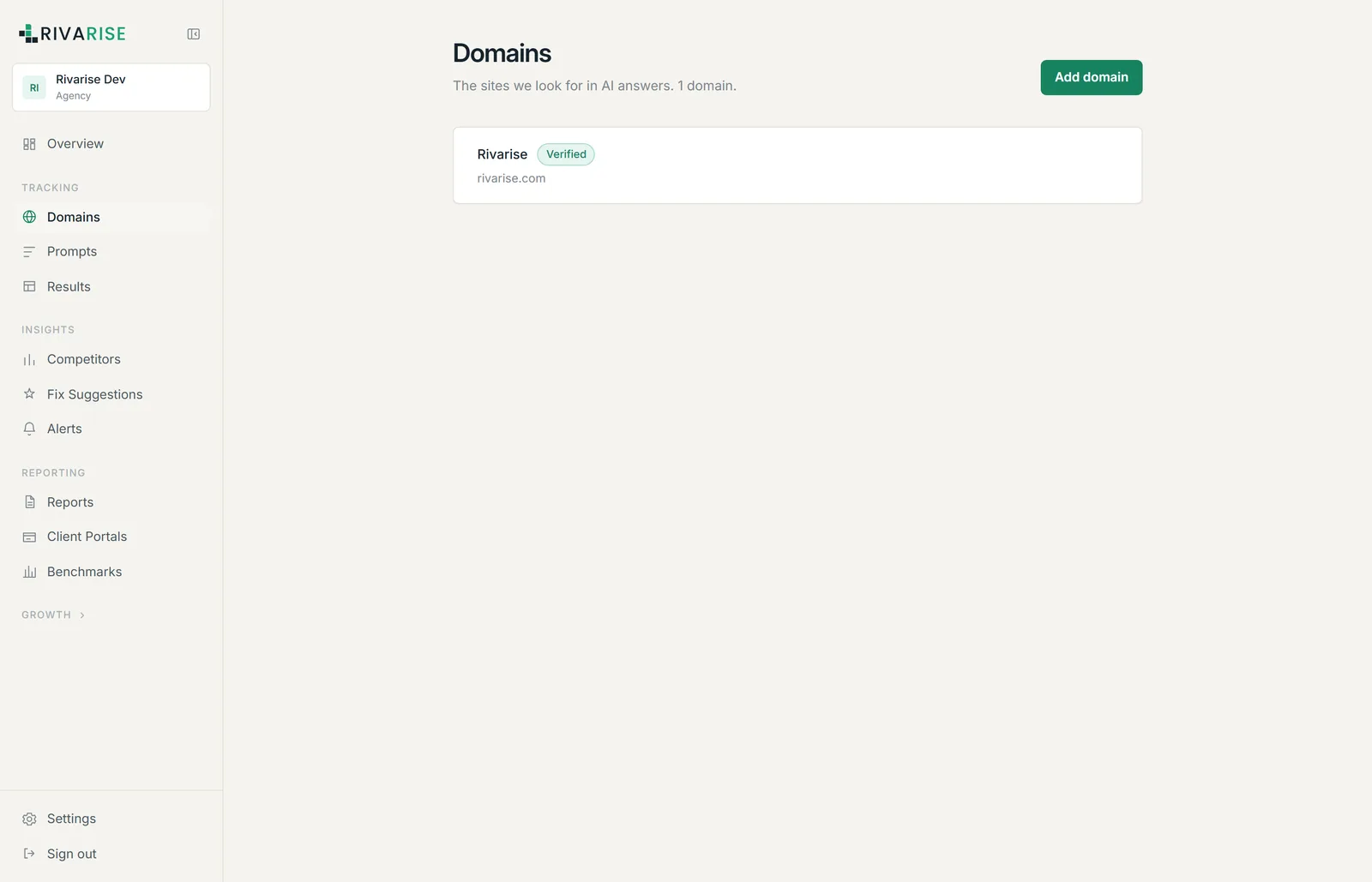
Adding a domain
- Open Domains from the Tracking group in the sidebar.
- Click Add domain and enter the bare hostname, for example
rivarise.com. Leave offhttps://,www.and any path. - Save. The domain appears in the list immediately and is included in the next scheduled run.
Which domain to add
Add the domain you want engines to cite, which is almost always your main marketing site. Some specifics:
- Use the apex, not the subdomain, unless the subdomain is genuinely where your content lives. Matching is done on the registrable domain, so
rivarise.comcoverswww.rivarise.comandblog.rivarise.com. - Do not add your app subdomain if nothing there is publicly readable. Engines cannot cite a page behind a login, so it will only ever score zero.
- If you sell through marketplaces, track your own store domain, and add the marketplace listings as competitors instead. That shows you when an engine sends a buyer to a reseller rather than to you.
- Agencies: add one domain per client. Domains are the unit that reports, portals and most limits are counted in.
What verification means
Domains show a Verified state. This is an internal ownership marker used to gate client-facing surfaces such as portals and reports; it is not a prerequisite for tracking, and it does not require you to upload a file or add a DNS record.
How many domains you get
| Plan | Brands | Notes |
|---|---|---|
| Free | 1 | Enough to answer the "are we mentioned" question. |
| Starter | 1 | Single brand, daily checks. |
| Growth | 1 | Single brand, with competitors and fix suggestions added. |
| Business | 1 | Single brand on all nine engines, with reporting and the API. |
| Agency | 5 | Five client brands, each with its own daily prompt allowance. |
Every plan below Agency tracks a single brand, so the only plan where this is a planning question is Agency. There the allowance is per brand rather than shared, so each of the five clients gets its own 60 prompts a day.
Removing a domain
Click Remove on the domain row. This is not reversible and has consequences worth understanding first:
- Tracking for that domain stops at the next scheduled run.
- Its historical results and snapshots are removed along with it, so the trend cannot be recovered by re-adding the same domain later.
- Reports already generated as PDFs are unaffected, because they are static files. Client portals pointing at that domain will lose its data.
- The freed slot is available immediately, so you can swap a domain on a capped plan without waiting for a billing cycle.
Next
A domain on its own produces nothing: Rivarise still needs to know which questions to ask. Continue to Write your first prompts.