
Documentation / Using the app
Alerts
The four alert types, thresholds, and delivery by email, Slack or webhook.
Alerts watch your metrics so you do not have to open the dashboard. They are the feature most teams end up relying on once the novelty of checking daily wears off.
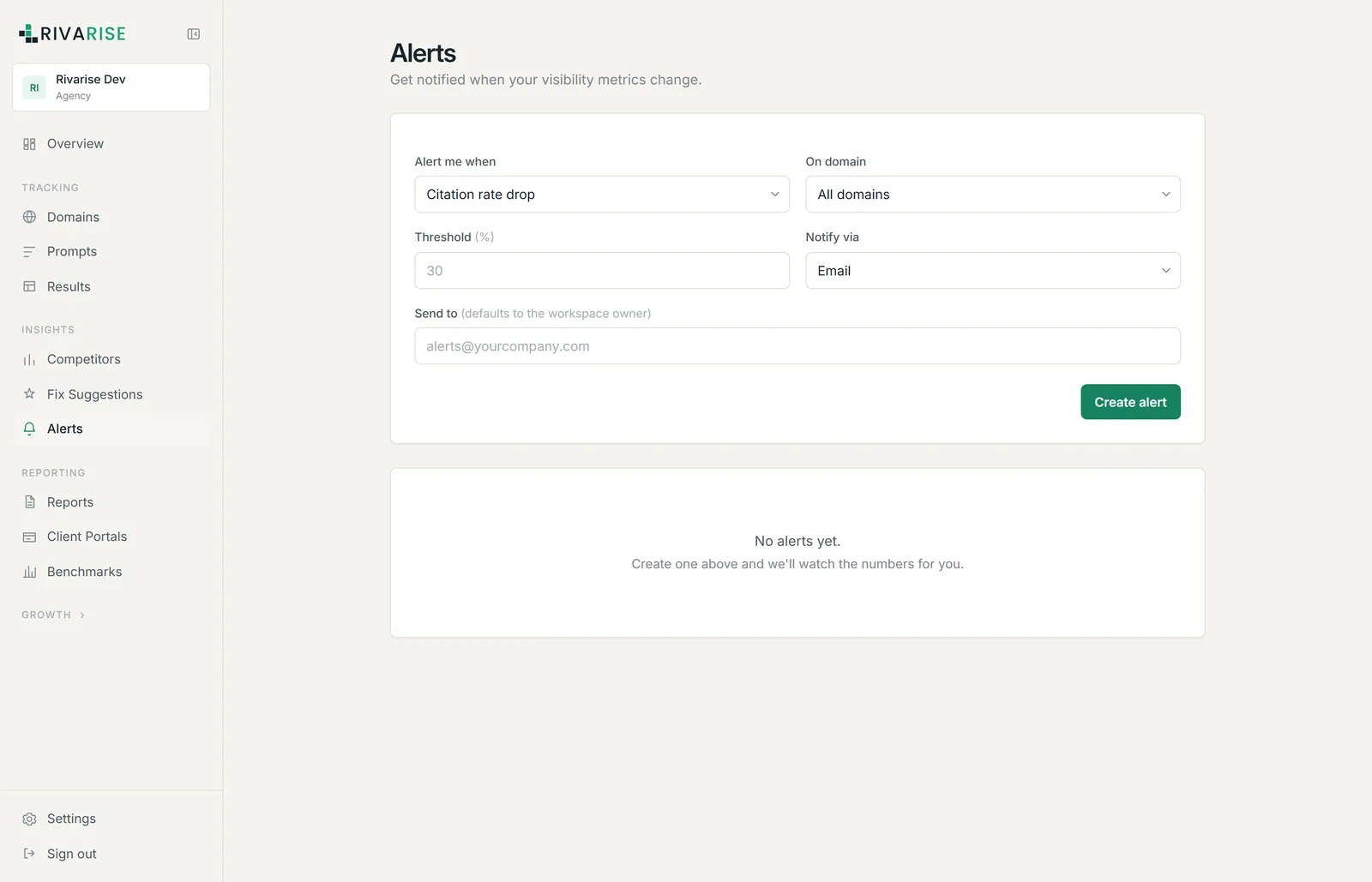
The four alert types
| Alert | Fires when | Use it for |
|---|---|---|
| Citation rate drop | Citation rate falls by more than your threshold. | The default. Catches losing visibility on prompts that were working. |
| PPS score drop | The Prompt Performance Score falls by more than your threshold. | A broader signal that includes position and sentiment, not just presence. |
| Negative sentiment | Negative-sentiment mentions exceed your threshold. | Reputation problems, which often move faster than citation rate. |
| Engine drift | An engine materially changes its answer about you. | Model updates and re-rankings that you would otherwise discover weeks later. Growth plan and above. |
Creating an alert
- Choose the condition from the four types above.
- Choose the scope. All domains, or one specific domain. Agencies normally create one alert per client domain so the notification says which client it is about.
- Set the threshold. A percentage. Start at 15 to 20 percent; anything tighter fires on ordinary day-to-day variance.
- Choose delivery. Email, Slack or webhook.
- Set the recipient. Defaults to the workspace owner. For Slack and webhook this is the destination URL.
- Click Create alert.
Delivery channels by plan
| Channel | Available from | Notes |
|---|---|---|
| Starter | Delivered to the address you specify, defaulting to the owner. | |
| Slack | Growth | Paste an incoming webhook URL from your Slack workspace. |
| Webhook | Business | A JSON POST to any HTTPS endpoint you control. See Exports and webhooks. |
A weekly digest email is also included from Starter upward and is separate from alerts: it summarizes the week whether or not anything crossed a threshold.
Choosing a threshold
Generated answers vary between runs even when nothing about your content changed, so a threshold that is too tight produces noise and gets muted, which is worse than no alert at all.
- 15 to 20 percent is a sensible starting point for citation rate on a mature workspace.
- Go wider on small prompt sets. With ten prompts, one prompt flipping is a ten percent swing on its own.
- Go tighter only once you have weeks of history and know what your normal variance actually looks like.
Start with exactly one alert: citation rate drop, all domains, 20 percent. Add more once you know what normal looks like for your workspace.
If alerts are not arriving
- Check the threshold. The most common cause is that nothing crossed it.
- Check the channel is on your plan. Slack requires Growth, webhooks require Business.
- Check spam and the recipient address. Alert email comes from
noreply@rivarise.com. - For Slack, re-copy the webhook URL. Revoked or regenerated Slack webhooks fail silently on their side.
- For webhooks, check your endpoint accepts POST over HTTPS and returns a 2xx status.