
Write your first prompts
How to turn keywords into prompts, which intents to cover, and how to use generated suggestions.
Prompts are the questions Rivarise asks the engines on your behalf. They are the single biggest determinant of whether your workspace produces useful information or a wall of noise, so this page is worth reading properly.
A prompt is a question, not a keyword
The most common mistake is pasting keywords. Engines answer natural questions, and a stripped query returns a different answer from the one your buyer would actually see.
| Do not track | Track this instead |
|---|---|
| project management software agencies | What is the best project management software for a small agency? |
| running shoes flat feet | Best running shoes for flat feet under $150 |
| rivarise pricing | How much does Rivarise cost and is it worth it? |
Adding a prompt
- Open Prompts from the Tracking group.
- Click New prompt. Type the question exactly as a person would ask it, in full, with a question mark where natural.
- Choose an intent. Problem Aware, Solution Aware, Comparison, Brand Specific or Competitor. This is a label for your own analysis and grouping; it does not change how the question is asked.
- Save. The prompt becomes active and joins the next scheduled run.
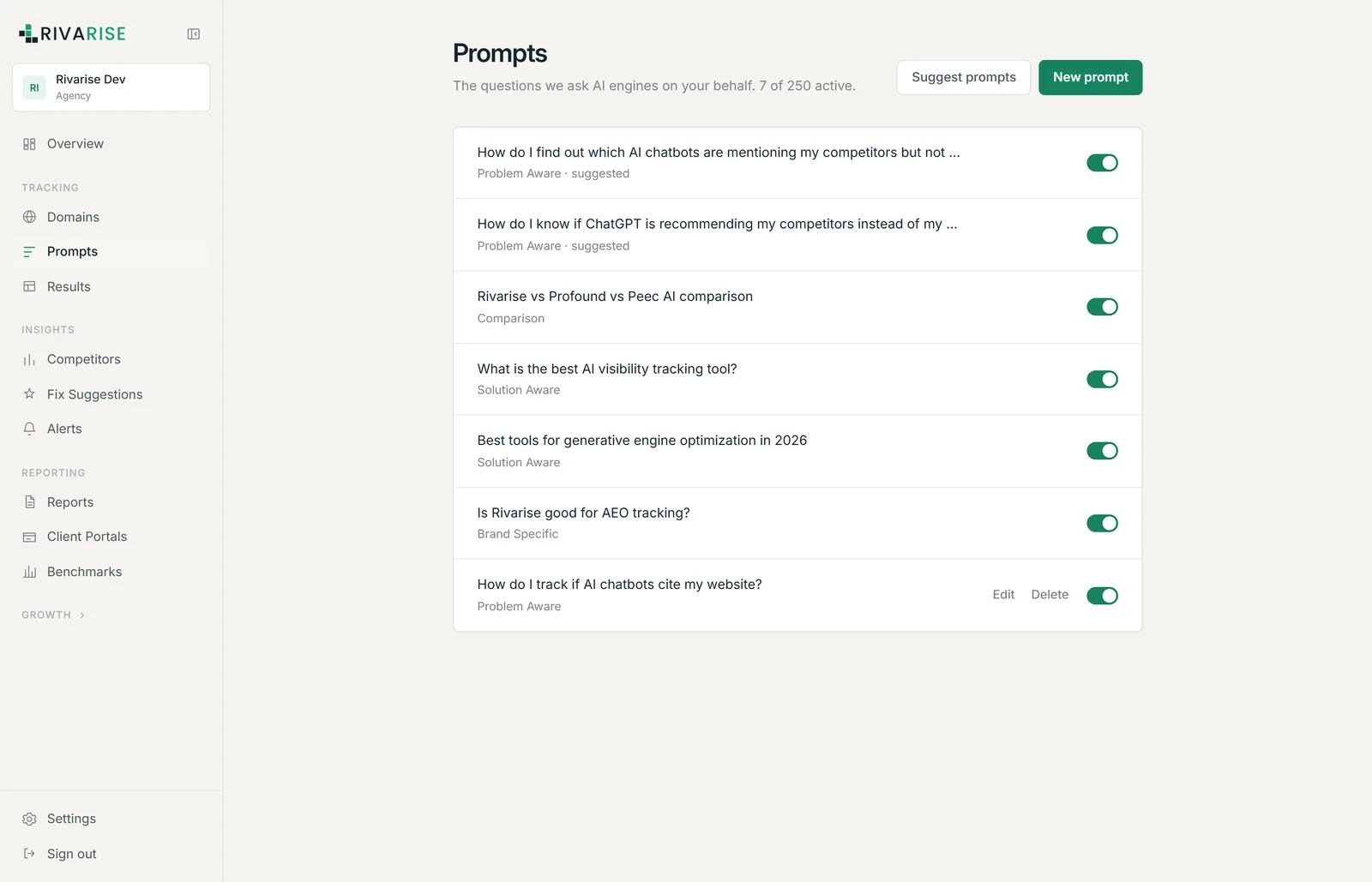
Generated suggestions
Click Suggest prompts and Rivarise proposes prompts based on your domain and your existing tracking data, each labelled with an intent and marked suggested in the list until you edit it. Review them rather than accepting everything: the generator is good at coverage and blind to which questions actually carry revenue for you.
How many prompts to start with
Start with 10 to 15, not 200. A wall of data on day one produces no decisions, and every prompt consumes daily quota across every engine on your plan.
A sensible first set for a single brand:
- 3 to 4 solution-aware questions, the "best X for Y" shape. Highest commercial intent, and the prompt most likely to produce a shortlist.
- 2 to 3 comparisons naming you against the rivals you genuinely lose to.
- 2 problem-aware questions that describe the pain without naming a category, to see whether engines route that person to your category at all.
- 1 to 2 brand questions such as "is X any good", which surface stale claims and sentiment.
- 2 competitor questions of the "alternatives to X" shape, which are the cheapest displacement opportunities you have.
Read Prompt intents for what each category reveals and the traps in each.
How the prompt limit is counted
The limit is prompts, per day, across the entire workspace. It is not per domain and not per engine.
| Plan | Prompt limit | Frequency |
|---|---|---|
| Free | 3 | Weekly |
| Starter | 30 | Daily |
| Growth | 50 | Daily |
| Business | 100 | Daily |
| Agency | 250 | Daily |
Each active prompt is asked of every engine on your plan on every run. On Growth, 75 prompts across 6 engines is 450 checks per day. You do not pay per check; the prompt count is the thing that is capped.
Editing, pausing and deleting
- Edit rewrites the question. History stays attached to the prompt record, so a heavily reworded prompt produces a trend line that compares two different questions. For a material rewrite, create a new prompt instead and delete the old one.
- Delete removes the prompt and frees its slot immediately.
- Only active prompts count against the limit, which is what the "7 of 250 active" counter is telling you.
Writing prompts that produce signal
- Include the constraint that decides the purchase. "Best CRM" is nearly useless. "Best CRM for a two-person real estate team under $50 a month" is the question that actually gets typed.
- Do not stuff your brand into every prompt. An engine asked about you will nearly always mention you. The revenue sits in questions where you are not named yet.
- One question per prompt. Compound questions produce answers that are hard to score and harder to compare over time.
- Keep the wording stable. Changing phrasing changes the answer, so treat a prompt as a fixed instrument once it is running.
- Avoid anything time-bound such as "in 2026" unless you intend to update it, because it will quietly go stale.
Next
Once prompts are saved, the first checks run automatically. Continue to Read your first results.