
Results
The raw answer log: filtering by engine, prompt and citation status, and reading stored answer text.
Results is the raw log: every check, with the full answer text the engine returned. It is the most valuable screen in the product and the least used, because people stop at the score.
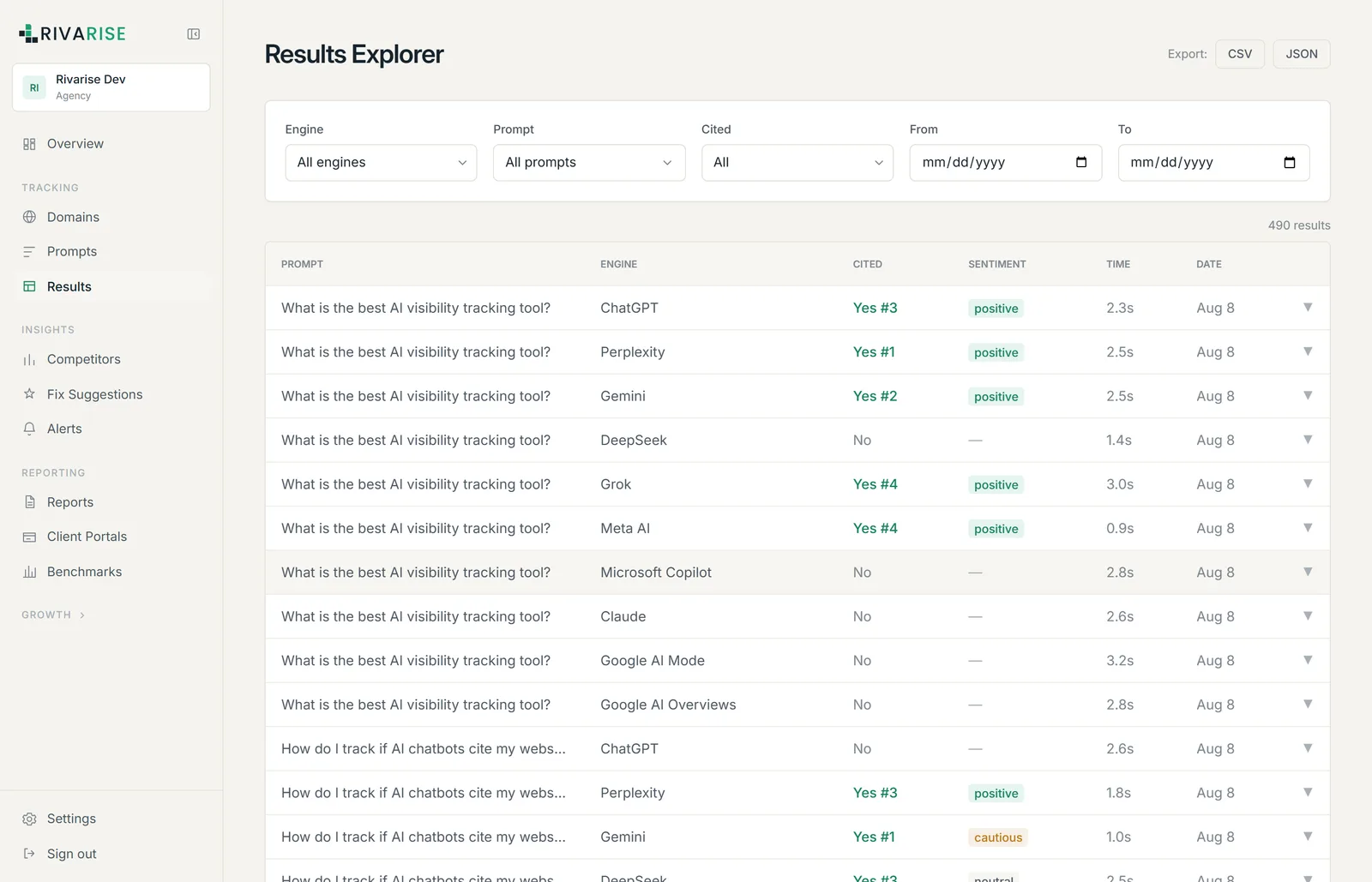
What a row represents
One row is a single check: one prompt, submitted to one engine, at one moment, against one domain. It records whether your domain was cited, the position among brands named, the sentiment class, and the complete answer text.
Filtering
- By engine. The fastest way to investigate a weak engine spotted on the dashboard.
- By prompt. Shows how one question has been answered over time and across engines, which is where variability becomes obvious.
- By citation status. Filtering to uncited checks is the highest-yield thing you can do here: it is a queue of specific, readable reasons you are losing.
- By date range. Bounded by your history window.
How to read an answer
Open an uncited result and look for four things, in this order:
- Who was cited instead. If the same competitor appears repeatedly, add them under Competitors so it becomes a tracked number rather than an impression.
- What source the engine leaned on. A review site, a roundup, a competitor comparison page. That source is the thing to influence, and it is often not your own site.
- Whether the question was understood. If the engine answered something adjacent, the prompt needs rewording, not your content.
- Whether anything said about you is wrong. Stale pricing and removed features show up here first and are usually traceable to one outdated page.
CSV export
Results can be exported to CSV from the Starter plan upward. The export respects the filters currently applied, so filter first and export second. Details, including the safety handling applied to fields beginning with a formula character, are on Exports and webhooks.
Retention
Answer text is kept for your plan history window: 7 days on Free, 30 on Starter, 90 on Growth, unlimited on Business and Agency. Downgrading shortens the window and data outside it is removed, so export before dropping a tier if the history matters.