
Client portals
Creating a private read-only page per client, choosing domains and accent colour, and sharing the link.
A client portal is a private, shareable page that shows one client their own AI visibility, read-only, without giving them a login to your workspace.
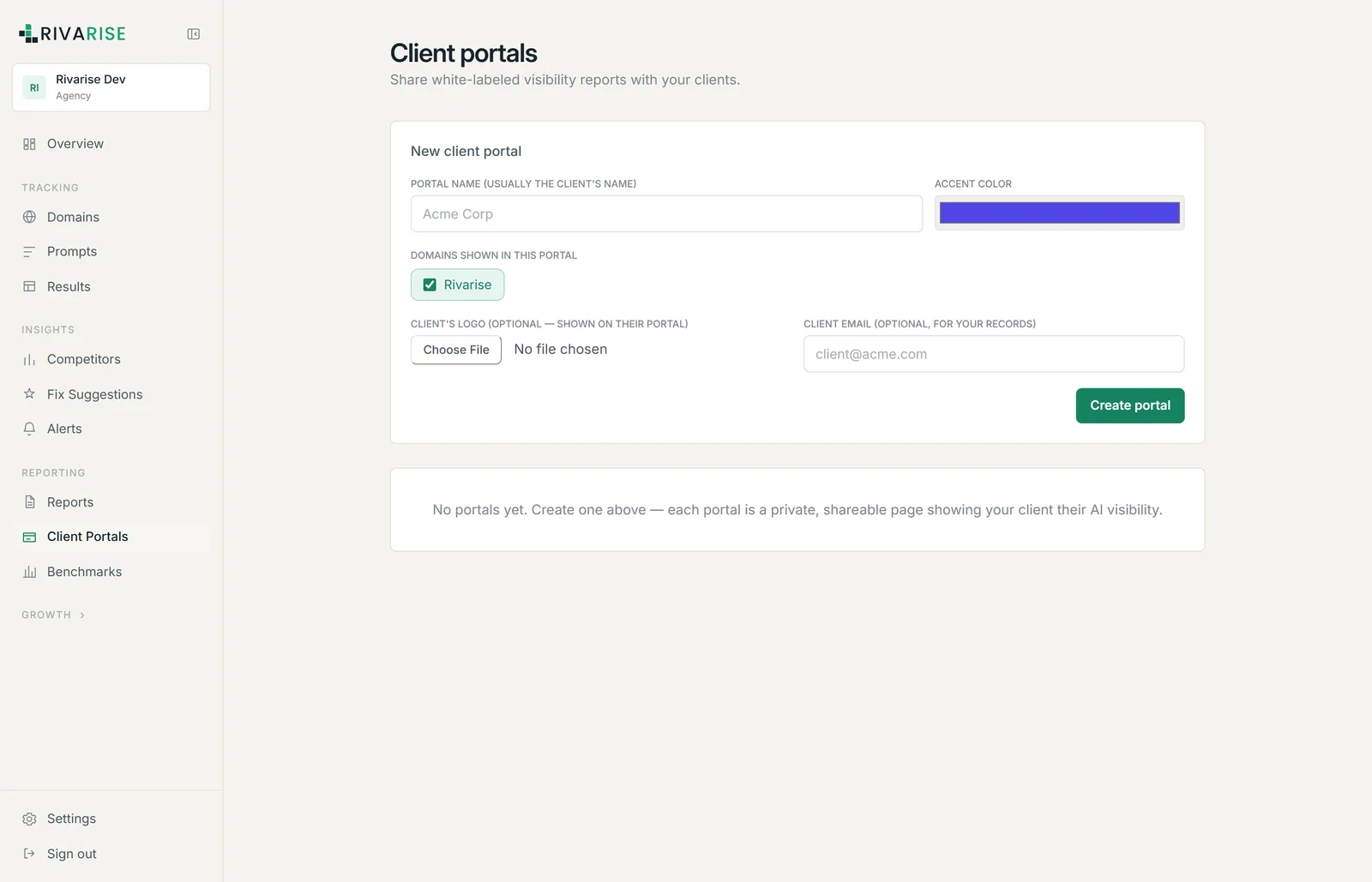
Creating a portal
- Portal name. Usually the client name. It appears on the portal itself.
- Accent colour. Used for buttons and highlights on their page.
- Domains shown. Select only that client domains. This is the security boundary, so check it carefully.
- Client logo. Optional, shown on their portal.
- Client email. Optional and for your records only. Adding it does not send anything or create an account.
- Create portal. You get a shareable link.
What the client sees
- Their visibility score and trend for the domains you selected.
- Their performance score, engine breakdown and competitor position.
- Your branding, if White-label is configured, or the portal accent colour and logo you set here.
They cannot edit anything, cannot see other clients, cannot see your prompts management, and cannot reach your billing or team settings. The portal is a rendered view of a scoped slice of data, not a limited login.
Isolation
Every record in Rivarise is scoped to a workspace and enforced at the database layer rather than only in the interface. A portal narrows that further to the specific domains you chose, so one client cannot see another client data even if both are in your workspace.
Availability
Client portals are available from the Business plan upward. Business tracks a single brand, so a portal there is for your own reporting; Agency raises the cap to five client brands, which is normally the reason agencies move up.
Practical notes
- One portal per client. Do not put several clients on one portal to save time; the domain selection is what keeps them separated.
- Send the link once, in writing. Clients lose links, and a resent link is easier than a support request.
- Portals reduce interruptions. Most between-meeting emails are asking for a number the portal already shows.
- Removing a domain removes its data from the portal. The portal itself keeps working with whatever domains remain selected.