
Competitors
Adding rivals, the side-by-side comparison, and how share of answer is computed.
Competitor tracking records which rival domains the engines cite for the same questions you track, then turns that into a ranking you can act on.
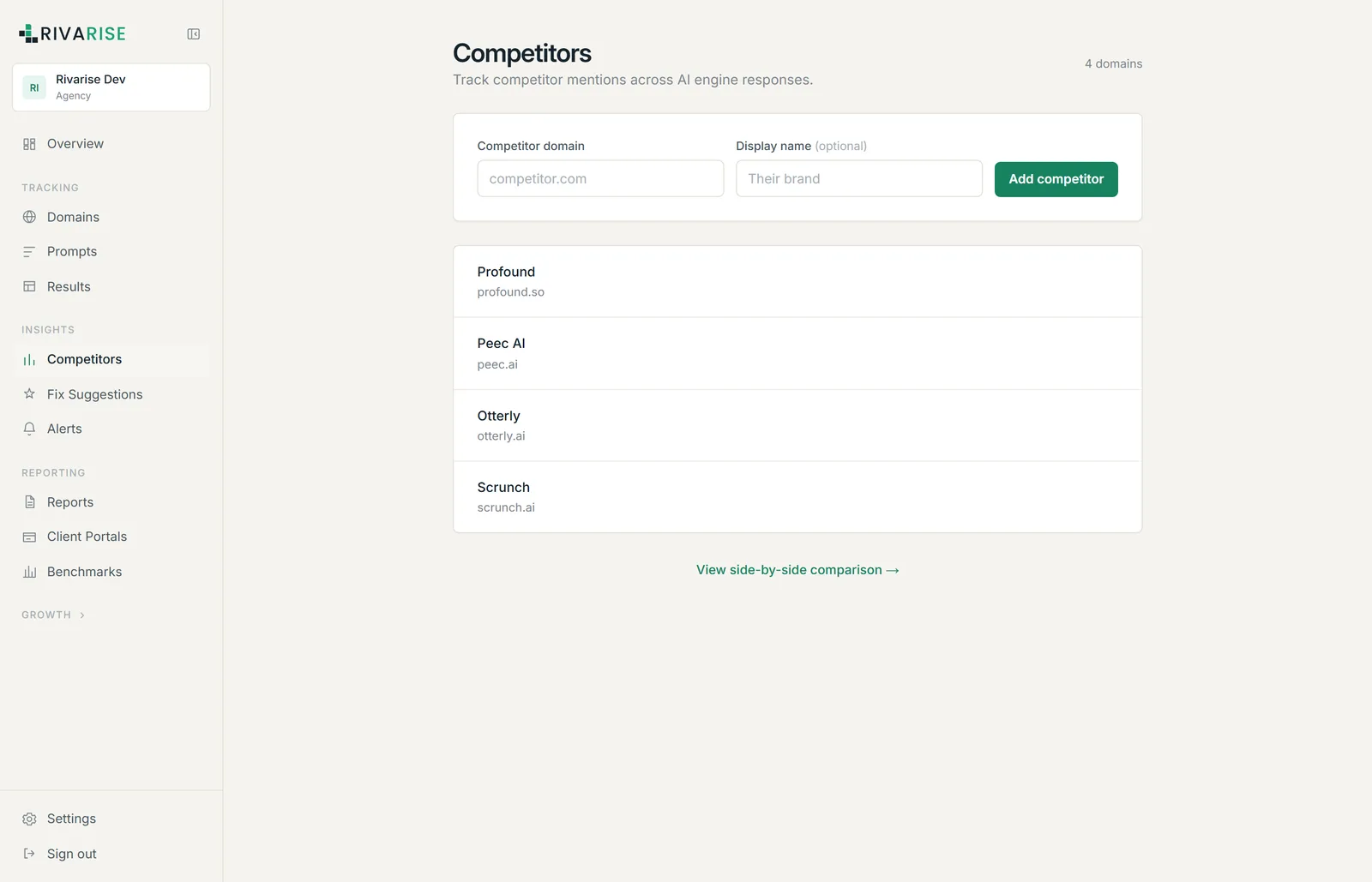
Adding a competitor
- Open Competitors from the Insights group.
- Enter the competitor domain, bare, for example
profound.so. - Add a display name if the domain is not self-explanatory. This is what appears in charts, the Visibility Rank list and client reports.
- Click Add competitor. They are included from the next run onward.
Which competitors to add
Add the brands the engines name, not the ones on your internal battlecard. These two lists are frequently different, and the gap is itself a finding worth acting on.
To find them, open Results, filter to checks where you were not cited, and read who was. Repeat offenders belong on this list.
How many you can track
| Plan | Competitors |
|---|---|
| Free | Not included |
| Starter | Not included |
| Growth | 5 |
| Business | 10 |
| Agency | Unlimited |
Competitor tracking is a Growth plan feature. On Free and Starter the screen is not available, though competitor names still appear inside the stored answer text you can read in Results.
Share of answer
For each brand, Rivarise computes the share of checks in which that brand was cited, over the same prompts and range. Your own row appears marked Owned in the Visibility Rank card on the dashboard.
Read the gap rather than the absolute figure. Being second at 57 percent behind a leader at 60 is a different situation from being second at 20 percent behind a leader at 75, and the two call for different responses.
Side-by-side comparison
The View side-by-side comparison link opens a direct comparison across engines and prompts. Use it to find asymmetries: a competitor who dominates one engine but is absent from another usually has a source advantage you can identify and replicate.
Turning this into work
- Pick one prompt where a rival beats you consistently. Read the answers and identify the source the engine trusts.
- Check whether it is content or authority. If the engine cites a comparison page you never wrote, that is content. If it cites third-party reviews and roundups you are absent from, that is authority, and it takes longer.
- Watch the gap, not your own line. A rising citation rate while a competitor rises faster is still a losing position.