
API reference
Authentication, the three v1 endpoints, query parameters, rate limits and error codes.
The Rivarise API gives programmatic read access to your tracking data. It is available from the Business plan upward.
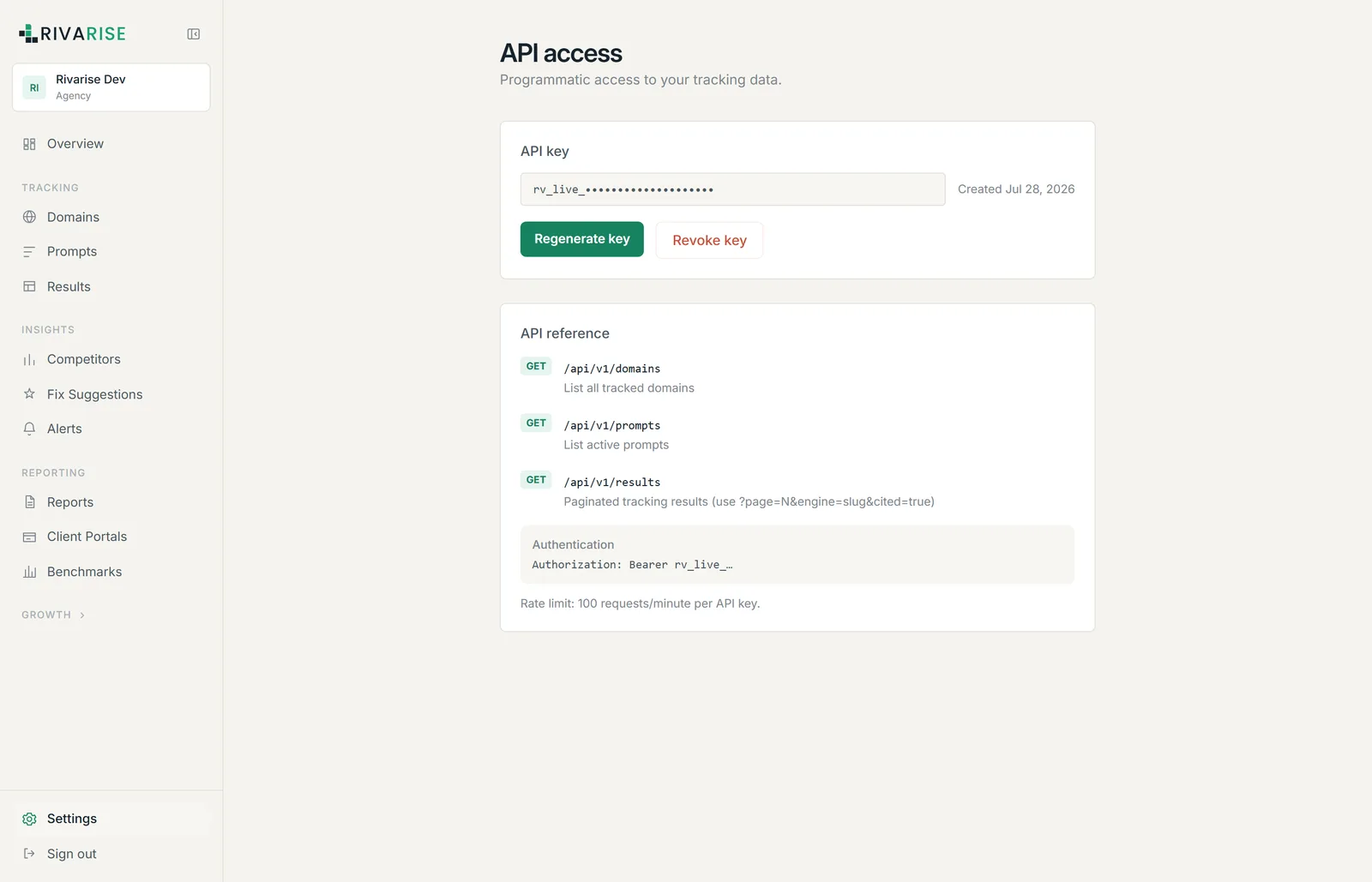
Authentication
Send your key as a bearer token on every request:
Authorization: Bearer rv_live_your_key_hereKeys are scoped to your workspace and carry its permissions. We store only a hash of each key, so a lost key cannot be recovered, only regenerated.
Endpoints
| Method | Path | Returns |
|---|---|---|
| GET | /api/v1/domains | All tracked domains in the workspace. |
| GET | /api/v1/prompts | All active prompts, with their intents. |
| GET | /api/v1/results | Paginated tracking results. |
Query parameters on /api/v1/results
| Parameter | Example | Effect |
|---|---|---|
page | ?page=2 | Page number for pagination. |
engine | ?engine=perplexity | Filter to one engine by slug. |
cited | ?cited=true | Filter to cited or uncited checks. |
Engine slugs are chatgpt, perplexity, gemini, deepseek, grok, meta_ai, claude, google_ai_mode and google_aio.
Example request
curl -H "Authorization: Bearer rv_live_your_key_here" \
  "https://app.rivarise.com/api/v1/results?engine=perplexity&cited=false&page=1"
Combining cited=false with an engine slug is the most useful call in the API: it returns exactly the checks where that engine did not cite you, which is the queue worth working.
Rate limits
100 requests per minute per API key. Exceeding it returns an error rather than silently dropping data. Page through results rather than polling the same endpoint in a loop, and cache on your side; the underlying data only changes once per day.
Managing your key
- Regenerate key issues a new key and invalidates the old one immediately. Update your integrations before regenerating.
- Revoke key invalidates it with no replacement, which is the right action if a key has leaked.
Notes
- The API is read-only in v1. Domains, prompts and competitors are managed in the application.
- Results are bounded by your plan history window, exactly as they are in the interface.
- Everything the API returns is scoped to your workspace; there is no way to reach another workspace data with a valid key.