
Prompts
Creating, editing, pausing and deleting prompts, plus how the daily prompt limit is counted.
The Prompts screen is where you manage the questions Rivarise asks on your behalf. For guidance on what to write, see Write your first prompts and Prompt intents. This page documents the screen itself.
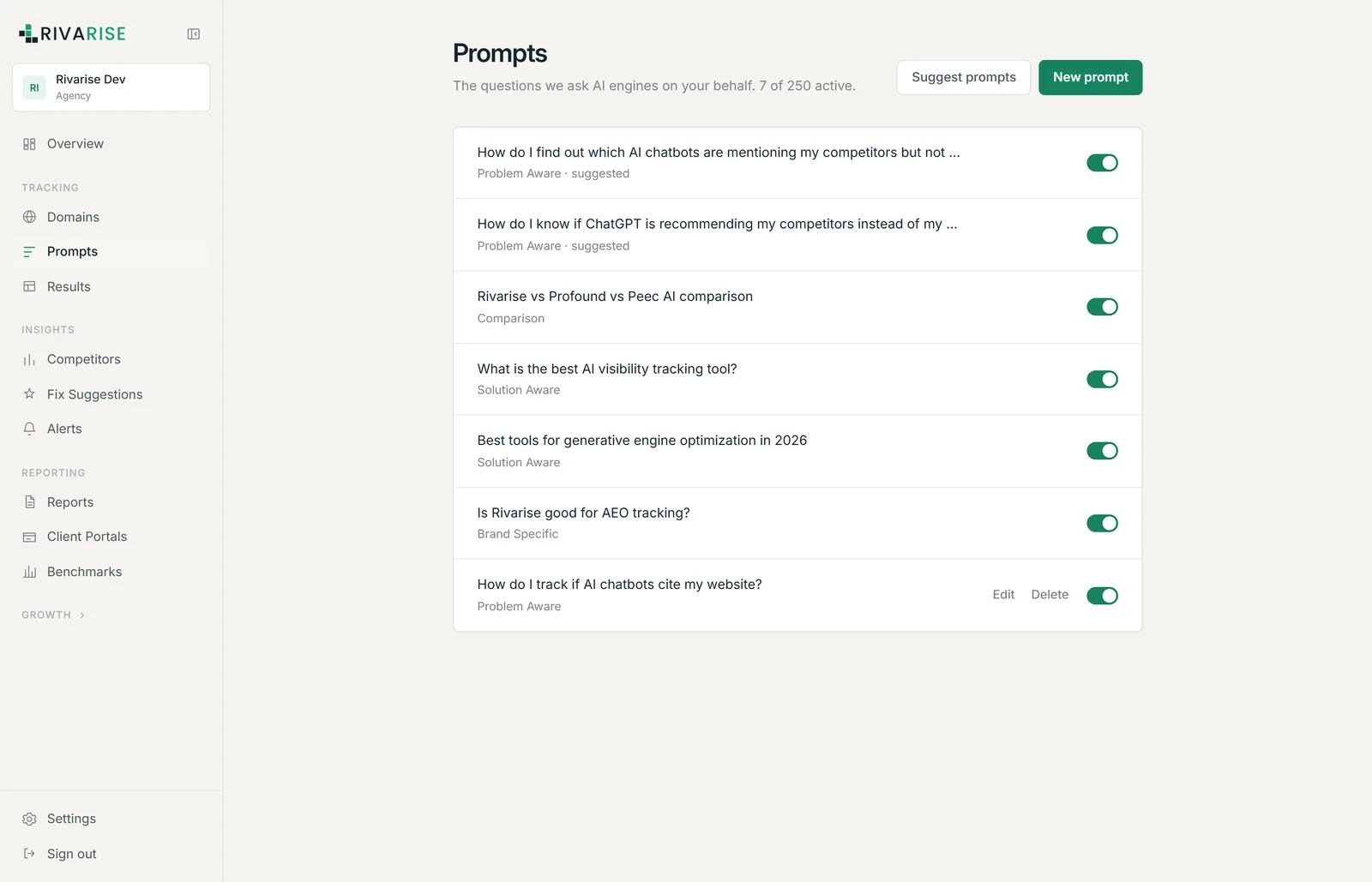
What is on the screen
- Counter. Reads "N of M active", where M is your daily prompt limit. Only active prompts count.
- New prompt. Add a question manually and assign an intent.
- Suggest prompts. Generates candidates from your domain and existing tracking data. Starter plan and above.
- Edit. Change the wording or the intent of an existing prompt.
- Delete. Removes the prompt and frees its slot immediately.
The intent label
Every prompt carries one of five intents: Problem Aware, Solution Aware, Comparison, Brand Specific or Competitor. The label groups your analysis and does not change how the question is submitted. Setting it accurately is worth the two seconds, because it is how you notice you have twelve brand prompts and no competitor ones.
How the limit is counted
The limit is prompts per day, workspace-wide. It is not per domain and not per engine. Each active prompt is submitted to every engine on your plan on every run, so check volume is prompts multiplied by engines.
| Plan | Prompts | Engines | Checks per run |
|---|---|---|---|
| Free | 3 | 1 | 3 per week |
| Starter | 30 | 5 | 150 per day |
| Growth | 50 | 7 | 350 per day |
| Business | 100 | 9 | 900 per day |
| Agency | 250 | 10 | 2,500 per day |
You are not billed per check. The prompt count is the capped quantity; the engine count comes with the plan.
Editing versus replacing
History stays attached to the prompt record. Small wording corrections are fine. A material rewrite produces a trend line that silently compares two different questions, which is worse than a gap in the data.
Working with suggestions
The generator proposes prompts across the five intents with reasoning attached. Treat it as coverage assistance rather than judgement: it is good at spotting intents you have neglected and blind to which questions carry revenue in your business. Accept the ones that map to a real buying question and delete the rest rather than letting them consume quota.